

TL;DR: As we discussed in Part 1: Why Your First Prompt is a Trap, the goal is to build fast without losing control.
In vibe coding, one bad AI prompt can destroy your entire project. Here's how Git - your ultimate undo button - becomes your safety net. Also, I’ll show you how you can protect your API Keys.
Welcome👋🏻
I’ve decided to start this Vibe Coding series to share my perspective as a software engineer. My goal is to close the gap between the technical and the non-technical, making these concepts accessible to everyone, regardless of their background.
Enjoy the Part 2 of a 5 part series!
In the early hours of a vibe coding project, there is a specific kind of silence that occurs right after you realize you’ve broken everything.
You were in the “flow state.” You asked the AI to add a simple payment button, and instead, it refactored your entire authentication logic, deleted three files you didn’t know were important, and left you staring at a blank white screen filled with console errors.
This is the moment most people give up. They feel they’ve lost their “save game.” They try to ask the AI to “undo,” but the AI is like an overconfident junior developer with amnesia: it doesn’t remember what the codebase looked like five minutes ago.
To bridge the gap between “fragile experimentation” and “confident building,” you need a Safety Net. In engineering, we call this Git. For you, let’s call it the Ultimate Undo Button.
Why Vibe Coders Lose Their Work (The Point of No Return)
Most vibe coders treat their project like a single document. If you make a mistake, you hit Cmd+Z, but that only reverts the text in your active window—not the structural changes the AI made across ten different files simultaneously.
Without a safety net, you are always one prompt away from a total system collapse. The gap is moving from linear progress (where every step could be fatal) to checkpointed progress (where you can always jump back in time).
How to Use Git Snapshots to Save Your Vibe Coding Progress
You don’t need to be a command-line wizard to use Git. In 2026, tools like Cursor or GitHub Desktop make version control as easy as a “Save” icon.
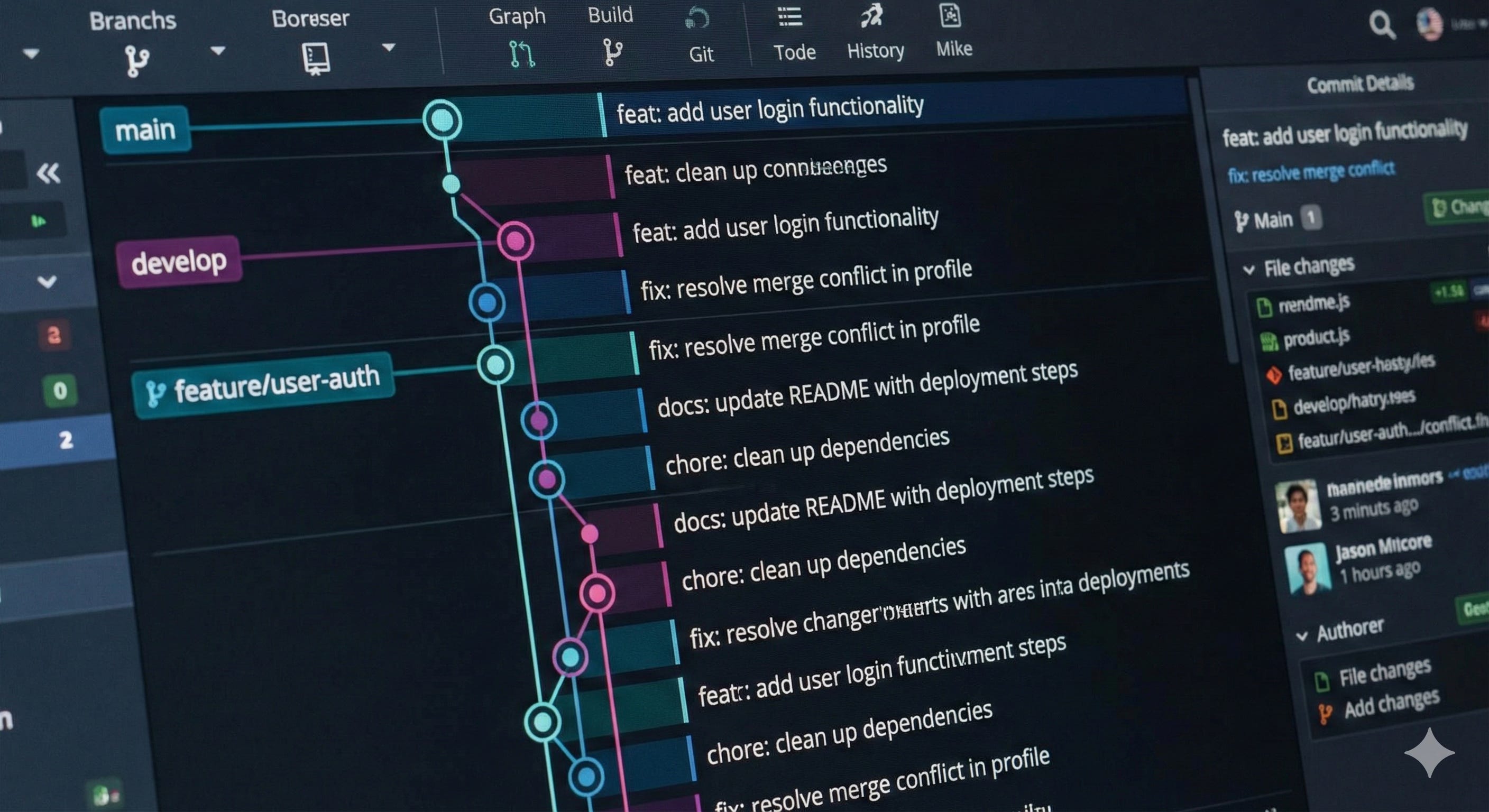
Step-by-Step: Git for Non-Technical Vibe Coders
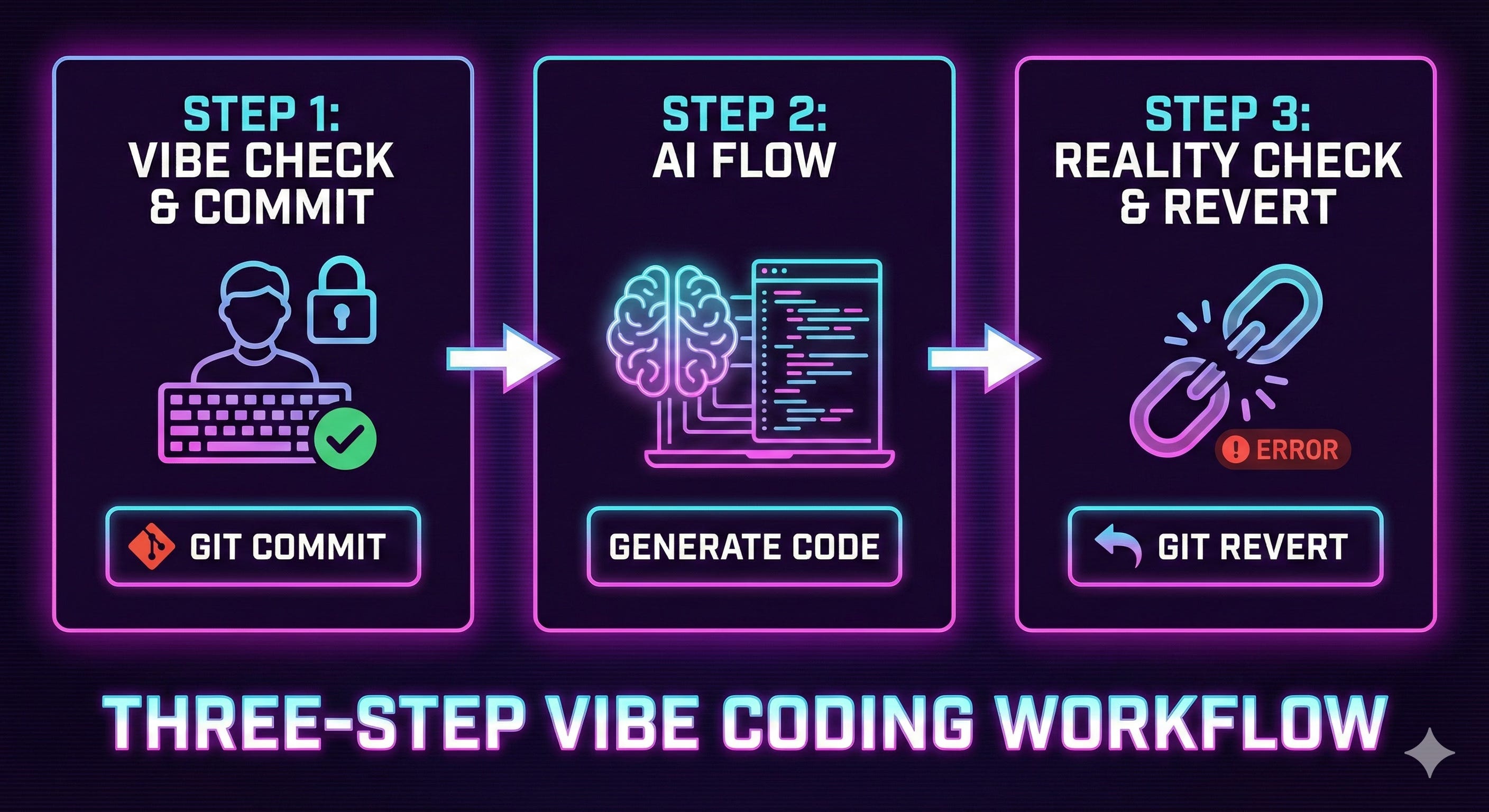
The “Before” Snapshot: Before you give the AI a high-risk prompt—like “Refactor my database”, you need to commit your changes. If you are using Cursor, check out this Git Guide.
The “Vibe” Phase: Let the AI run wild. If it works, great! Create another commit: “Payment button works.”
The Great Undo: If the AI breaks the app, stop prompting. Do not try to fix the error with more instructions. You need to revert to your last commit. There are several ways to do it, depending on which tools you are using.
My advice as a dev:
Sometimes, it might be a pain in the a** to rollback some changes, and Cursor or whatever vibe coding tool you are using, may not help as you want.
I suggest you to always take control of your Git: either with Terminal by using Git commands (that’s what I prefer), or with a Git Visualizer Tool like Github Desktop or GitKraken. If you are not really familiar with coding, I suggest you to use a Git Visualizer Tool: you can create your branches easily, commit and push your changes or revert your committed changes when needed.
How to Protect Your API Keys with .gitignore
As you build, you will eventually use “Secrets.” These are API keys for things like Supabase, OpenAI, or Stripe, etc. If you are using AI, these keys are the “digital cash” that powers your app.
The Golden Rule: Never, ever commit secrets to your code. Ever.
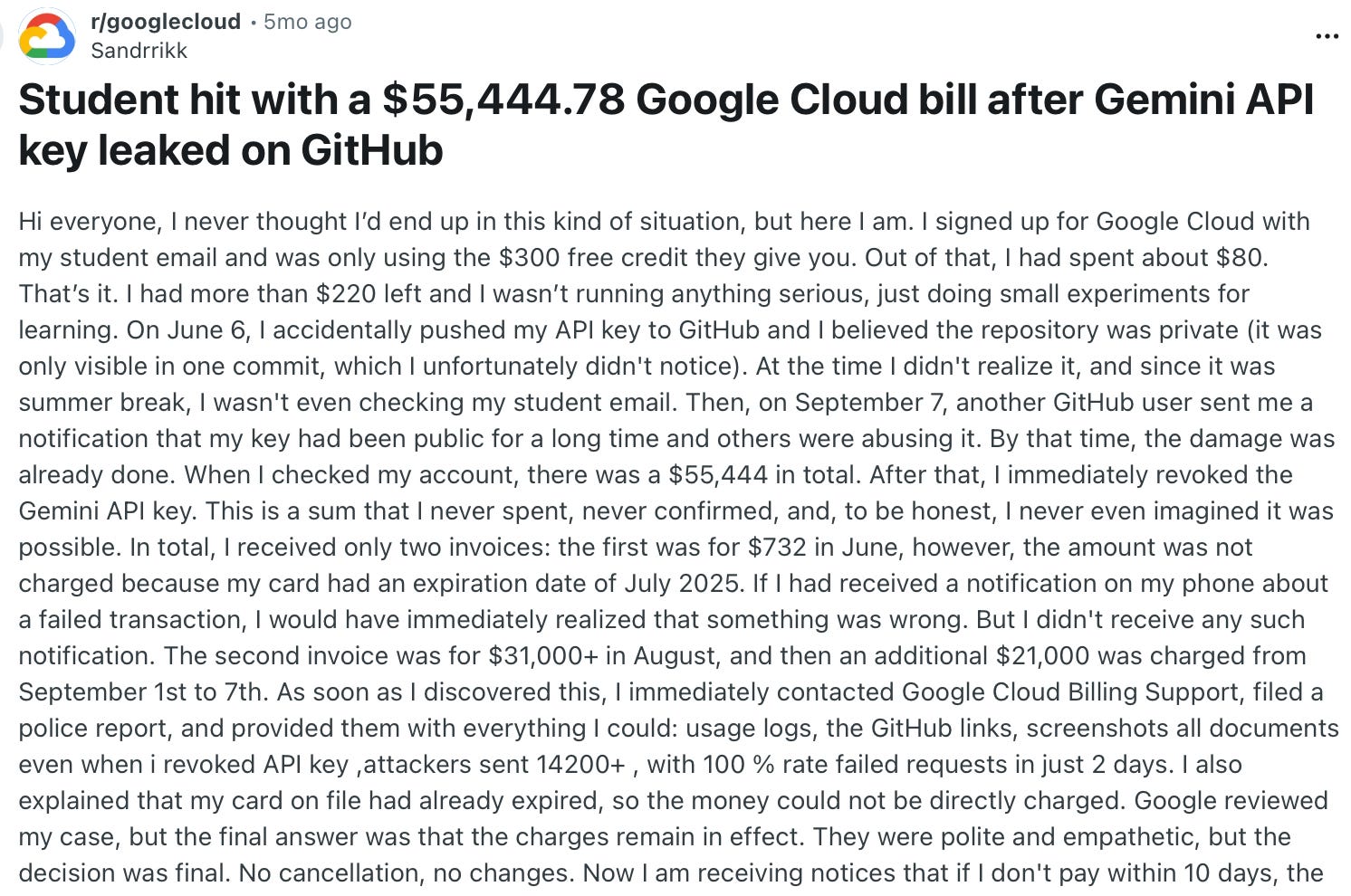
When you commit your code to a platform like GitHub, it is often visible to the world. If you commit your API keys, bots will find them in seconds and drain your account.
Remember what happened to a student who pushed that API Key to GitHub?
To prevent this, we use a file called .gitignore.
The Pause and Pivot: We call this a “config file,” but really, it is a Privacy Filter. It tells Git: “Watch these files, but don’t share them (ignore them).”
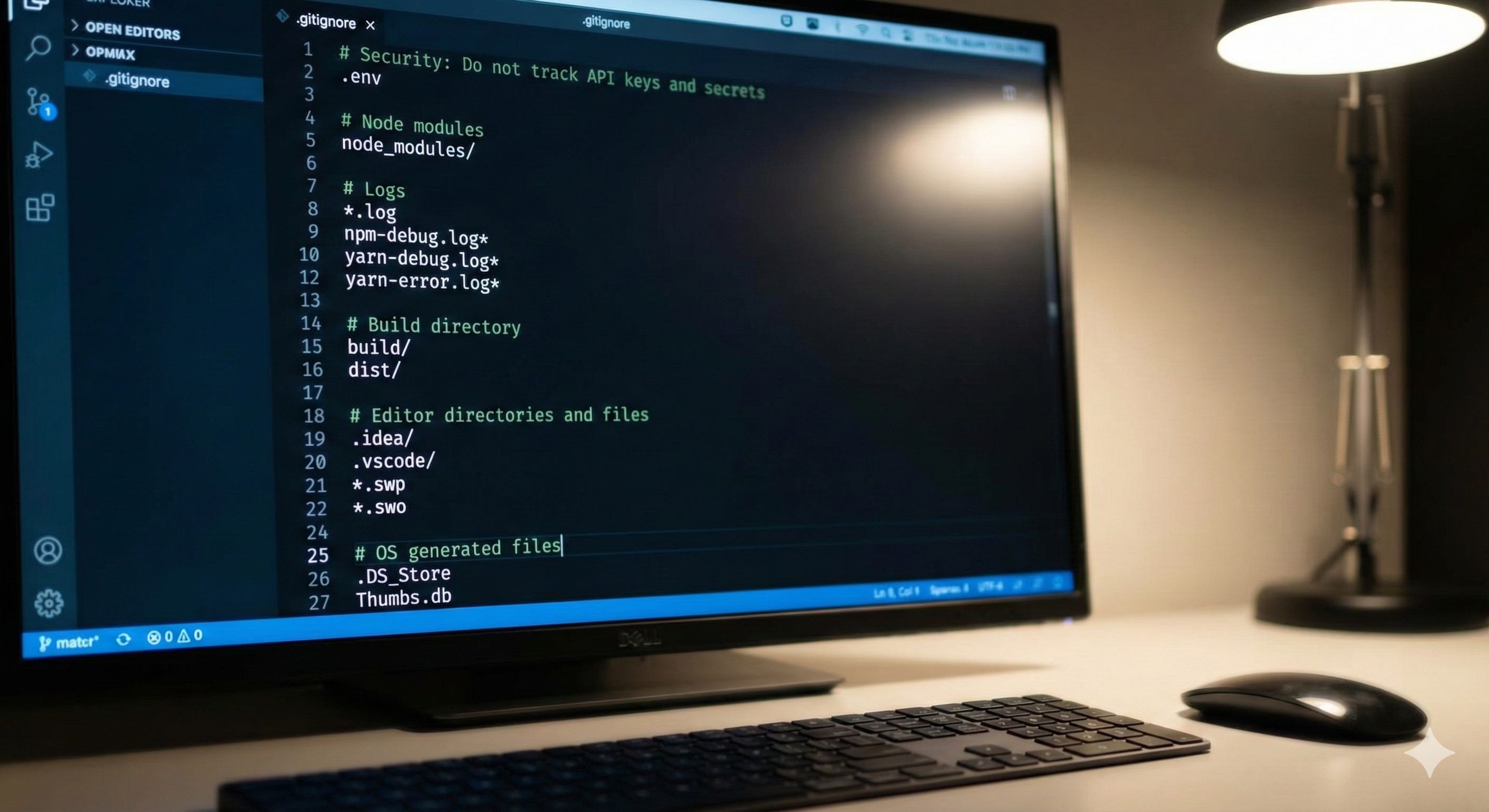
How to stay safe:
The
.envfile: Put all your secrets in a file named.env.The
.gitignore: Ensure your project has a file named.gitignore. Inside that file, the very first line should be.env.The Result: Git will now “ignore” your secrets. Even if you commit your code, your keys will stay safe.
Vibe Coding Git Best Practices (The Intentional Builder's Checklist)
Atomic Commits: Save every time a single thing works. If the button turns blue: commit. If the math is right: commit. Small saves are easier to revert than giant ones.
The “Revert First” Mentality: If a prompt fails, don’t ask the AI to “fix it.” Revert the change to your last working state, refine your prompt, and try again from a clean slate.
No Secrets in History: Once a secret is committed to Git history, it is there forever, even if you delete the file in a later version. If you accidentally commit a key, you must rotate it (delete the old key and get a new one) immediately.
Descriptive Labels: Avoid labels like “fix” or “stuff.” Use “Added local storage for expenses.” This makes your “Time Machine” a.k.a commit history searchable.
Why Git Gives Vibe Coders Psychological Safety
By implementing Git and a proper .gitignore, you are creating Psychological Safety. When you know you cannot “nuke” your project or expose your bank account, you become more courageous. You move from a state of friction to a state of flow.
It requires structure, a little discipline, and restraint.
The Pause and Pivot: We call this “version control,” but really, it is Temporal Insurance. It is the technical guarantee that your past success is protected from your future mistakes.
The Human Element: Why You're the Curator, Not the AI
The AI provides the computational labor, but you provide the “Save Points.” By deciding when a version is stable enough to keep and what information is too sensitive to share, you are exercising Judgment. You aren’t just a user; you are a curator of working states.
With this foundation, you can safely start vibe coding. You have a solid toolset, and a way to undo mistakes before they become disasters.
Technical skills can be learned, but intentionality is a choice. By setting up these guardrails, you’ve already done the hardest part of engineering.
Git protects your files, but as your project grows, you'll hit 'Context Collapse.' Check out Part 3: Context Management & Cost-Saving Tips (2026 Guide) to learn how to keep your AI smart as the codebase expands.
🔥💪